Lesson 8 of 8 · 12 min
Integrations, API keys and security
Written by Melek Mehrez, founder of FreeMaint · Last reviewed November 16, 2026
Lesson objective
By the end of this lesson, you can choose the right channel for an integration (list export, webhook, API or Connect), create an API key with limited access that expires, and go through the security and end-of-mission checklist of a client workspace.
A CMMS holds a plant's work history, stock and people. Integrations are where that data enters and leaves the client's workspace, and where access is easiest to forget. A key created for a test, a script left running after a pilot, a secret pasted into a ticket: each can outlive the project that needed it.
This lesson picks a channel for each need, limits what each key and webhook carries, and ends with what protects the client: the audit log, account security and the data archive.
No ERP connector: four channels
FreeMaint has no ready-made connector for SAP, Oracle, QuickBooks or any other ERP. An ERP link is built with the API and webhooks, usually by the client's IT team or integrator; the ERP integration guide in the documentation helps them scope it.
| Channel | Who starts the exchange | Typical use |
|---|---|---|
| List export | A person, when they need a file | A monthly work order list for a spreadsheet |
| Outgoing webhook | FreeMaint, the moment an event happens | Telling the ERP that a part ran out or a purchase order was received |
| API | The other system, when it chooses | An outside business intelligence tool reading work orders nightly; a stock kiosk adjusting quantities |
| Connect | A device or gateway, continuously | Meters and sensors sending measurements, such as running hours |
If the other system must know when something happens, use a webhook. If it must read or write on its own schedule, use the API. Many links use both: the webhook signals, the API fetches the details.
In FreeMaint
Included in StarterList exports in FreeMaint
On list pages such as work orders, assets, parts, preventive plans and requests, Export writes the list to CSV or Excel, following the filters applied. It needs the Starter plan.
Read the documentationAPI keys act as their owner
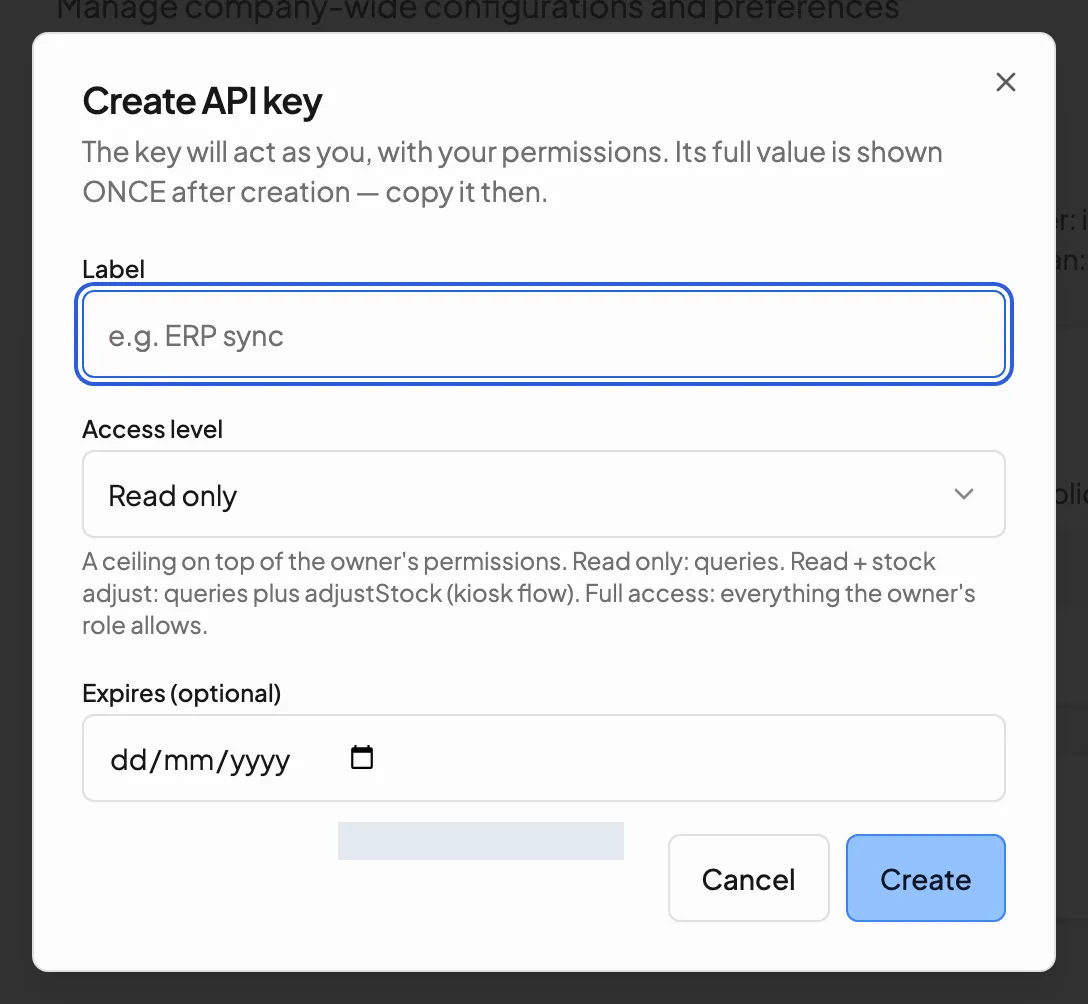
A FreeMaint API key is not a master key. It acts as the person who owns it, with their permissions and the data their role lets them see, and what it writes carries their name. The key's access level then sets a ceiling on top.
| Access level | What the key may do | Use it for |
|---|---|---|
| Read only | Read data, nothing else; the default | Reports, dashboards, any system that only reads |
| Read + stock adjust | Read data and adjust stock quantities | A stock kiosk or scanner that records the parts taken |
| Full access | Everything the owner's role allows, writes included | Only a tested integration that must write |
For each key, decide:
- Owner: a dedicated integration user, never an administrator's or a partner's own account. A new key acts as whoever creates it, so an administrator creates the key, then hands it to that user with Change owner. Give that user a narrow role: Create personal API keys, the permission that lets it hold a key (Change owner lists only people allowed to), plus read access to what the key needs. A stock kiosk's owner also needs the permission to adjust stock. The Integration administrator template is for the person who manages integrations: it can manage every key and webhook of the company.
- Access level: the lowest that works, Read only by default.
- Expiry: set one by default. An expiry cannot be extended: renewing means creating a new key, giving its value to the other system and revoking the old one, so a lasting link gets its renewal date in the integration sheet.
- One key per system, revoked once unused: each key's Last used date shows the keys nobody calls.
The OWASP Top 10 API Security Risks (2023 edition) lists improper inventory management (API9:2023), which includes sensitive data shared with outside systems with no inventory or approval of the flow. The integration sheet of this lesson is that inventory.
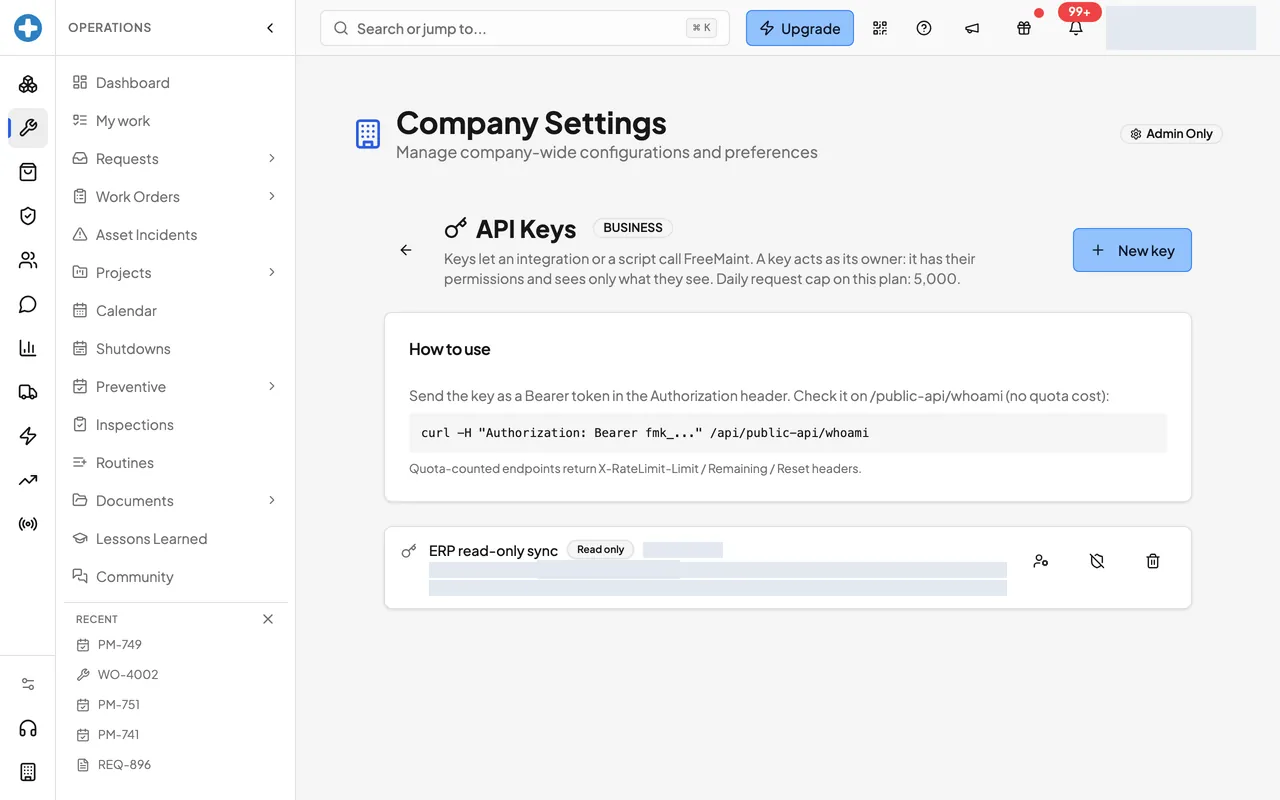
A key's full value is shown once, at creation, and cannot be retrieved: store it in the client's password manager at once. One person can hold 10 active keys at most. The company's API calls are capped per day: 5,000 on the Business plan and 100,000 on Enterprise, as the API Keys page shows; /public-api/whoami checks a key without counting against the cap.
With the Service partner role, you cannot create the client's keys or webhooks: they are the client's. You prepare the integration sheet; the client's administrator, or an IT colleague with the Integration administrator role, creates them.
In FreeMaint
Included in BusinessAPI keys in FreeMaint
Company Settings › API Keys lists every key of the company with its owner, access level, expiry and last use. Creating a key needs the Business plan, which also opens the API; keys stay visible and revocable on every plan.
Read the documentationWebhooks: FreeMaint calls the other system
A webhook sends a signed HTTPS request to the receiving system each time a chosen event happens. The events cover work orders (created, completed, any change of status), requests, stock, machine stops, purchase orders and a daily summary. On the Enterprise plan, the same events can also post to a Slack, Microsoft Teams or Zoho Cliq channel.
Subscribe to exactly what the receiver acts on. Low stock and out of stock, for example, are separate events: a part that falls to zero sends only the out-of-stock one, so a system that must know both subscribes to both. Both fire only when a quantity crosses its threshold, so a part imported already below it stays silent until its quantity moves; the daily low-stock and out-of-stock summaries list those parts too.
Each delivery carries an HMAC-SHA256 signature in the X-FreeMaint-Signature header, which the receiver checks with the signing secret, shown once at creation. A delivery that meets a server error or no answer is tried three times in all, a few seconds apart. One the receiver refuses with a 4xx answer, as a failed signature check usually does, is not tried again. On the Starter plan, deliveries past 100 in a day are not sent. Delivery history lists the latest attempts, but the screen offers no re-send. If the secret leaks, Rotate replaces it at once: update the receiver straight away, since a delivery it refuses in between is lost. For data that must not be missed, give the receiver a way to catch up: a daily summary event, or a scheduled read through the API.
In FreeMaint
Included in StarterWebhooks in FreeMaint
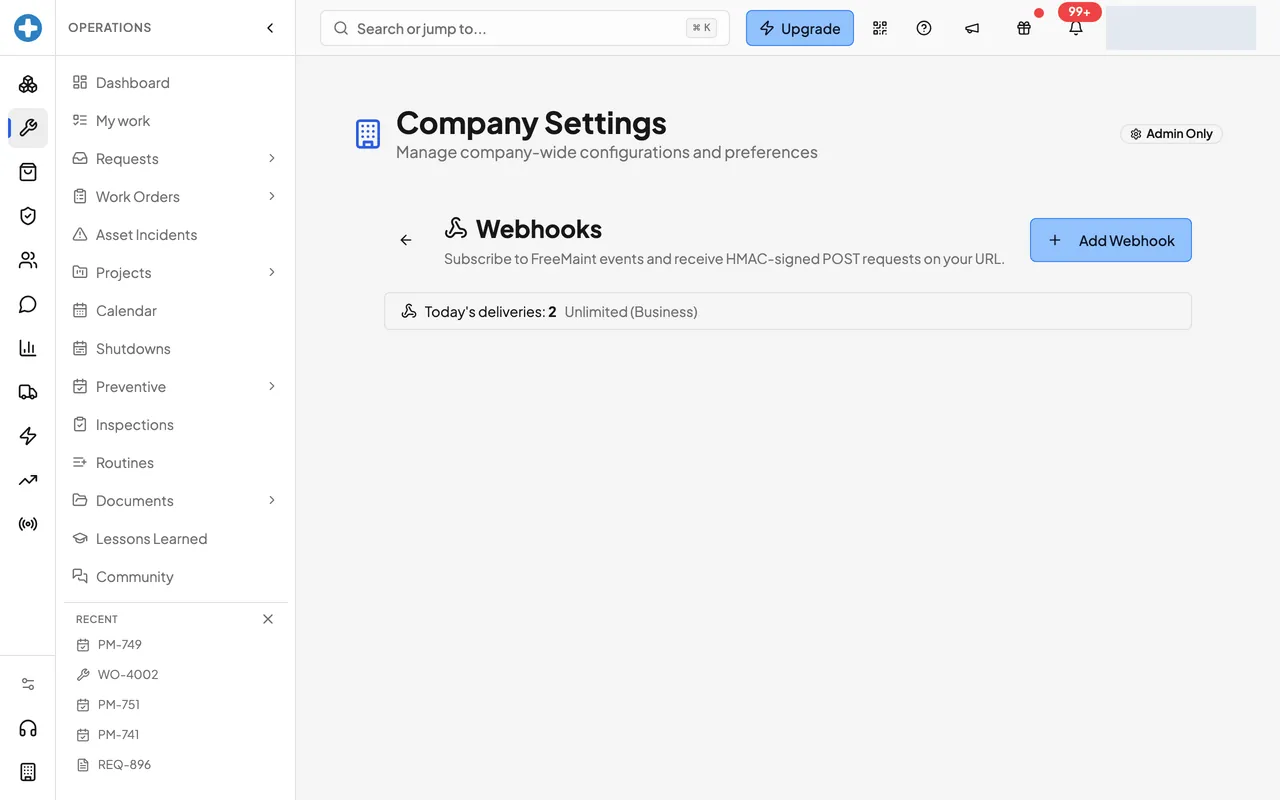
Company Settings › Webhooks holds Add Webhook, each webhook's Events and Deliveries, and its signing secret. Addresses must be public and use HTTPS. Webhooks need the Starter plan (100 deliveries a day); Business removes the limit. A webhook can always be deleted.
Read the documentationConnect: machines send their measurements
FreeMaint Connect receives measurements from Shelly devices, The Things Stack and ChirpStack LoRaWAN networks, Milesight gateways, or any system that sends JSON over HTTP, such as Node-RED, Home Assistant or a script. A channel can feed an asset meter, so running hours drive the meter-based plans of lesson 6.
Each integration has its own address and access key. Treat that key like an API key: one per gateway, kept secret. New access key replaces it, keeping the old one for 24 hours, or revoking it at once if it may have leaked.
In FreeMaint
Included in BusinessFreeMaint Connect
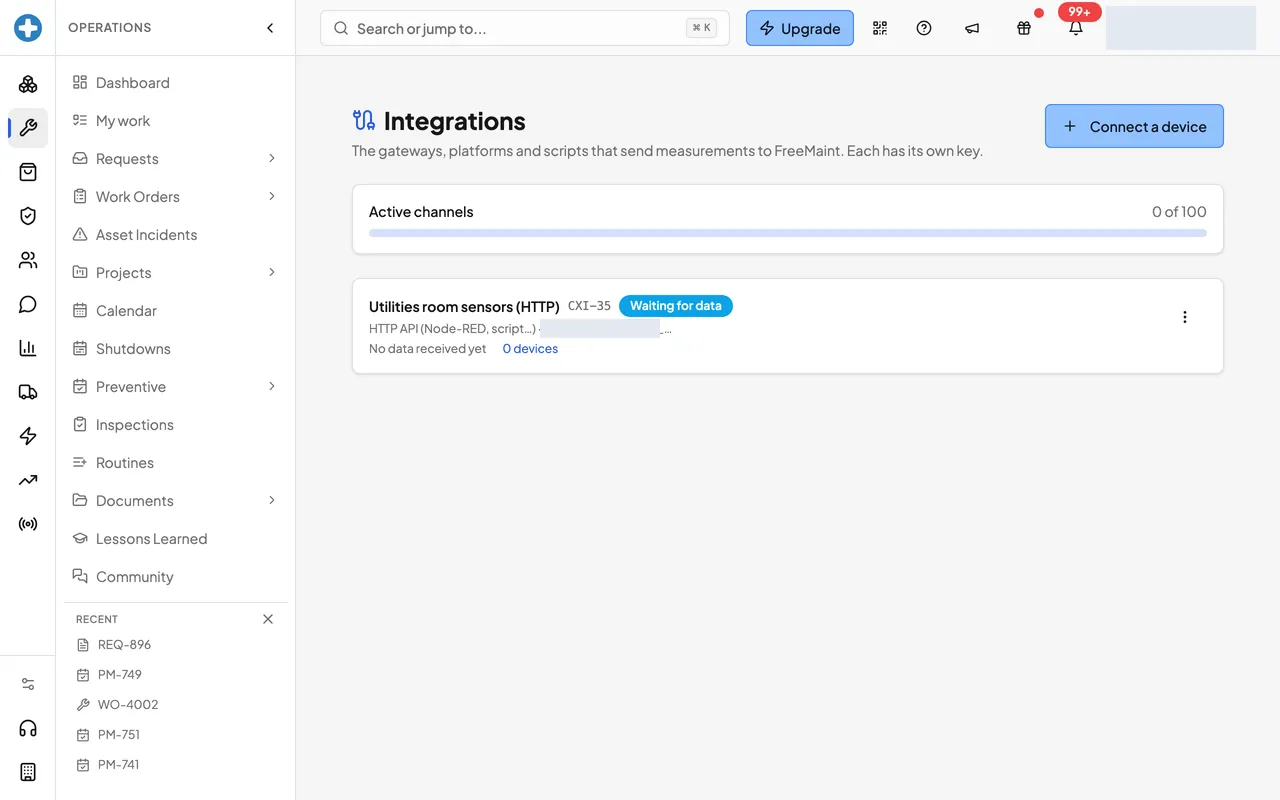
Connected devices › Integrations lists each gateway, platform or script that sends measurements, with its status and last data. Connect needs the Business plan.
Read the documentationAudit log and account security
The audit log records who changed what and when, with the values before and after. ISO/IEC 27001 counts logging among its information security controls, and a log protects only if someone reads it. Review it with the client after each of your interventions; the Service partner role cannot open it.
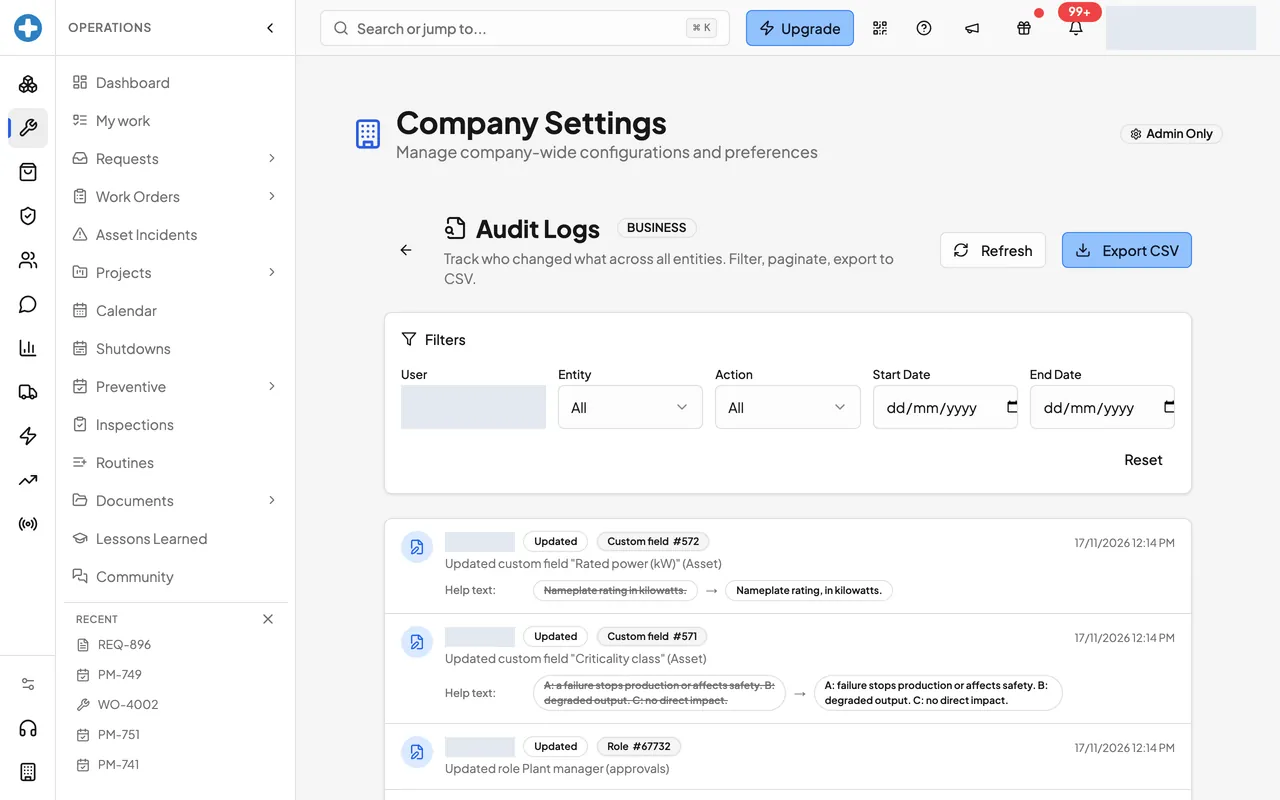
In FreeMaint
Included in BusinessThe audit log in FreeMaint
Company Settings › Audit Logs filters changes by entity, action, person and date, and Export CSV downloads them. Reading the log needs the permission to administer the company and the Business plan.
Read the documentationAccount security is never a paid option. Require two-factor authentication at least for administrators, set password rules before the first invitations, and give every temporary account, yours first, an Access until date. Single sign-on with the client's identity provider comes with the Enterprise plan.
In FreeMaint
Included in Core (free)Account security in FreeMaint
Company Settings › Account security sets who must use two-factor authentication (Who must use it: Optional, Administrators or Everyone, with Days to set it up) and the Password rules for the whole company, on every plan.
Read the documentationLeaving with the data: the client keeps the way out
A client must be able to leave with its data, whatever happens to its contracts. Data Archive Export downloads a copy of the company's data in one of two shapes. An Excel workbook has one sheet per importable list (locations, assets, parts, people, preventive plans, work orders, requests and a few more); it imports straight back into a FreeMaint account but is not a full backup. A JSON, ZIP or SQL archive holds far more, as a copy that FreeMaint cannot read back. Only the ZIP, with Include files on, carries photos and attachments, and no format contains credentials, delivery logs, people's private spaces such as team chat, or the subscription.
In the European Union, GDPR article 20 gives each person the right to receive the personal data they provided, in a structured, commonly used and machine-readable format, where its processing rests on their consent or a contract and is automated. It is a right of individuals, which the client answers, not a right of the company to leave its software. Article 28 sets what a contract must cover when a processor handles personal data for someone else. If you process the client's data, settle that contract with them; this course gives no legal advice.
The archive stays with the client: the Service partner role cannot export it. At the end of the mission, you keep no key, no secret and no export.
The Security checklist tab of this lesson's sheet gathers these points: two-factor authentication, password rules, Access until dates, keys and secrets, the audit log review, the final export and the data processing agreement. Go through it with the client before go-live, and again on your last day.
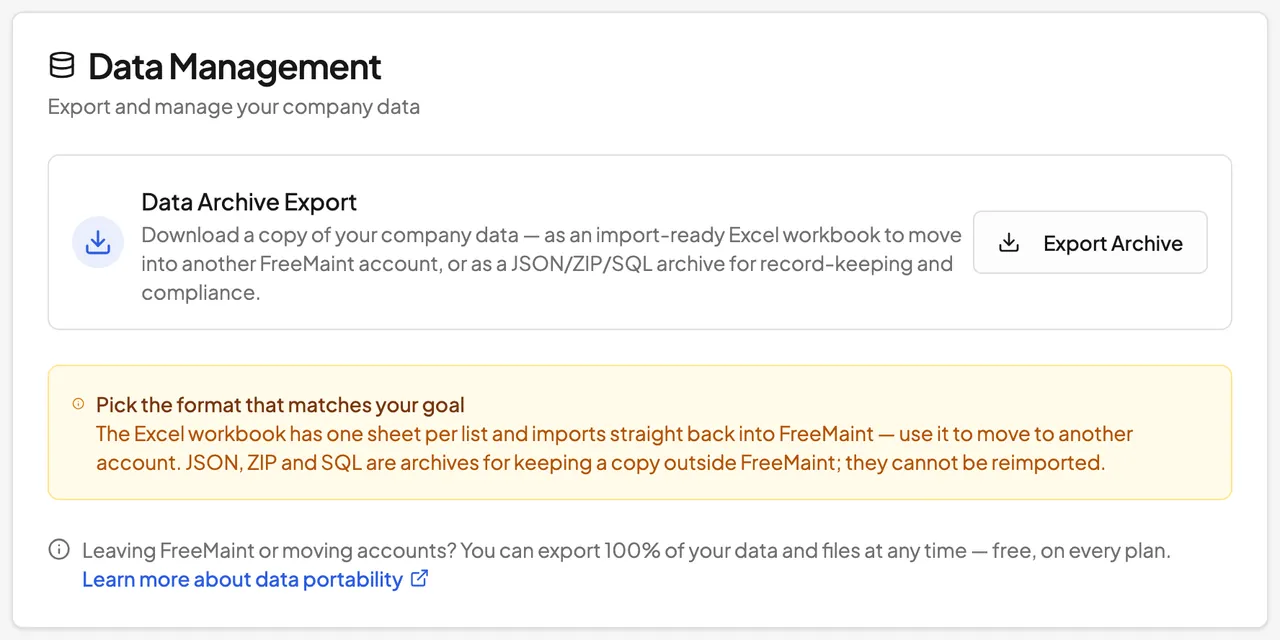
In FreeMaint
Included in Core (free)The data archive in FreeMaint
Export Archive, in Company Settings › Data, is free on every plan. Choose Excel to move the lists into another FreeMaint account, or an archive format to keep a copy.
Read the documentationExample
Example Plant's integration sheet
Example Plant wants three links. The buyer's ERP must learn when a part, such as the compressor oil filter, runs low or runs out, and when a purchase order is received. The plant manager wants the work orders in the company's business intelligence tool, refreshed every night. And the two air compressors should report their running hours, so the 2,000-hour service no longer waits for a meter reading.
You write the sheet; the maintenance manager, who keeps company administration, creates what it lists. Line 1: a webhook to the ERP's HTTPS address, subscribed to low stock, out of stock, the two daily stock summaries (the parts arrived by import) and purchase order received, its signing secret kept in the plant's password manager. Line 2: a key named “Nightly BI”, Read only, expiring in 90 days, handed with Change owner to “Integration – Example Plant”, a user whose role reads work orders and can hold a key. The sheet gives the date its replacement must be created. Line 3: a Connect HTTP integration from the Node-RED gateway in the utilities area, whose channels feed the running-hours meters of EX-UT-CMP-01 and EX-UT-CMP-02.
No line needs Full access. A weekly view for the plant manager alone would need no key: he already signs in to FreeMaint, and a scheduled report can e-mail it to him. The Security checklist tab records two-factor authentication for administrators and the Access until date on your account. On your last day, the maintenance manager reviews the audit log of the setup weeks with you; then your access ends.
Five common mistakes
- A Full access key with no expiry, owned by the administrator's own account.
- A key owned by a partner who was given an administrator role instead of the Service partner role: it carries the partner's rights until the mission ends, then stops working.
- Promising the client an ERP connector.
- Forgetting to revoke the keys of a test, a pilot or a mission.
- Pasting a signing secret or an API key into a ticket or an e-mail.
Your turn: create a limited API key
In your own workspace, create an API key in Company Settings › API Keys with Read only or Read + stock adjust access and an expiry at most 90 days away. It counts if you created it and it is active and unexpired when you select Check my exercise, even after a Change owner. It does not count with Full access, with no expiry or a later one, once revoked, if a colleague created it, or if it is an energy connector's key. Once checked, the exercise stays done.
Creating a key needs the Business plan. If you manage a Core or Starter workspace, starting this course opens a 30-day Academy trial there, once per workspace, that includes API keys. A key created during the trial reads no data, since those plans include no API access, and is revoked when the trial ends: check your exercise before then. A workspace in the free trial of a paid plan cannot create keys until its first payment.
Template for this lesson
Integration sheet and security checklist
Excel (.xlsx), blank, with automatic checks
Key takeaways
- There is no ERP connector: choose between list export, webhook, API and Connect by asking who starts the exchange.
- An API key acts as its owner, capped by its access level: a dedicated user with a narrow role, Read only by default, an expiry date, and revocation when it is no longer used.
- Subscribe a webhook to exactly the events the receiver acts on, check its signature, and rotate a secret that may have leaked.
- Two-factor authentication, password rules and Access until dates cost nothing: set them before go-live.
- At the end of a mission, the client reviews the audit log and keeps the data archive; the partner keeps no key, no secret and no export.
Exercise in FreeMaint
Do it in your own FreeMaint workspace, then check it here. Required: your certificate is issued once every exercise of this course is verified.
Create a limited API key
Create an API key yourself with “Read only” or “Read + stock adjust” access and an expiry date within 90 days. A key with full access, or without expiry, does not count.
Required for the certificate.
Check your understanding
A few quick questions. Nothing is recorded.